No wires on show: planning cable management into a built-in desk
Trailing cables make even a beautiful desk look unfinished. When the desk is built in, every lead, charger and plug can have a route planned from the start.
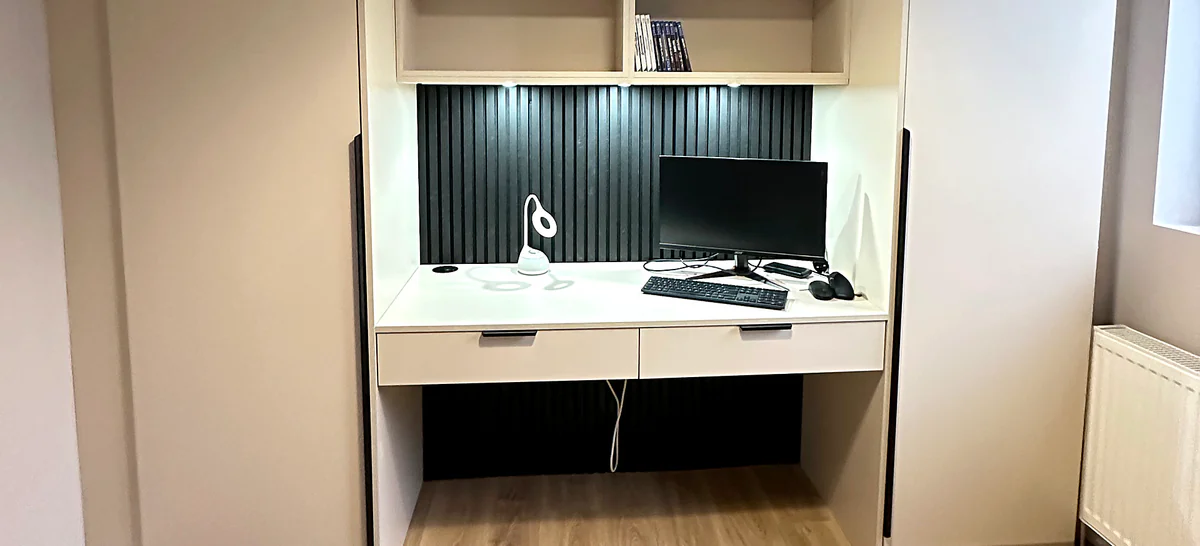
A built-in desk is the perfect opportunity to banish cables for good. With freestanding furniture you fight the wires after the fact; with joinery made for the room, every route is planned before the first panel is cut.
Count everything that needs power
Start with a list: computer, monitors, lamp, phone and laptop chargers, speakers, printer, router, a desk fan or heater. Add a couple of spare sockets for the future. That number decides how many sockets you need and where they go.
Where to put the power
The most useful sockets sit at desk height, built into the joinery — on the back panel just above the desktop, or in a small module set into the worktop. They’re easy to reach for chargers and can’t be blocked by the desk. A second set below the desk, hidden inside a cupboard or behind a panel, powers things that stay plugged in permanently.
Getting cables through the desk
- Grommets: neat holes in the desktop with a cover, placed where the monitor and lamp will sit.
- A cable tray: a channel or basket fixed under the desk that holds plugs and spare lengths off the floor.
- A vertical route: a hidden duct in a leg, pedestal or side panel carries cables down to floor sockets.
- A removable panel: at the back or underside, so you can reach everything when you change equipment.
Leave slack and access. Equipment changes far more often than furniture. Make the cable routes generous enough for an extra lead, and keep them reachable without taking the desk apart.
Hide the hardware
Routers, network switches and printers need power and air, but they don’t need to be on show. A ventilated cupboard close to the desk, with its own sockets, keeps them out of sight. In shelving, a small back panel with a hidden cut-out can conceal a router while keeping its signal clear.
Clear the desktop
A monitor arm frees space and lifts the screen to the right height. Wireless chargers set into the desktop keep phones charged without leads. A slim drawer for the laptop and its charger means the desk can be completely clear at the end of the day.
Lighting without wires
Under-shelf LEDs, a lit back panel or a pendant over the desk are all wired into the joinery, with switches built in where you sit. No lamp cables trailing across the desk — just light where you need it.
Planned this way, a desk looks as calm as the day it was fitted, and changing a computer or adding a monitor is simple rather than a tangle.
Keep reading
-
 Home Offices
Home office design: how to build a workspace you’ll actually use
A good home office isn’t about an expensive desk. Light, storage and layout decide whether you work there every day — or drift back to the kitchen table.
4 min read Read article -
 Home Offices
No spare room? How to fit a real workspace into a small home
You don’t need a dedicated study to work well at home. How to turn a bedroom corner, alcove or landing into a workspace that closes away.
4 min read Read article -
 Home Offices
Lighting a home office: daylight, task light and no glare on screen
Bad lighting makes a home office tiring. How to use daylight, light the work in front of you and keep reflections off your screen.
4 min read Read article